
The Monthly Invoice Pile That Became a Few Clicks
For the first couple of weeks of every month, the billing lead at one of our clients, an advertising agency, built some of their invoices by hand. Sixty to eighty of them.
The agency runs its media orders in a FileMaker solution. TV and print billing were already automated, with invoice files attached to each order without anyone touching them. Digital was newer territory. For campaigns on platforms like Google Ads and YouTube, the agency’s clients pay the platform directly as impressions run. The agency still needs a clean invoice record on every order before it goes out to the client.
Here’s how that looked each month:
- Pull a canned billing report out of the campaign manager
- Paste it into a large Excel workbook and build a lookup table
- Create a separate tab for every PDF they needed
- Go back into FileMaker, find each order, attach the right PDF by hand, and set the total
It worked, but it was slow and painful, and every manual step was a chance to attach the wrong file to the wrong order. At Soliant, we believe technology should be an asset, not a liability. This process was a liability, and the agency asked us to fix it.
Why We Didn’t Build It All in FileMaker
Our FileMaker team worked with the client’s billing lead to learn their process and see a sample report. The CSV held more than 5,000 rows, broken out by day and region. It all had to be validated, grouped by campaign and week, turned into PDFs, and attached to the right orders.
A traditional FileMaker build was possible. It would have meant a scratch table, a large import pushed up to the server, aggregation on the server side, a batch ID handed back to the user, and a print layout for the PDF. Even basic checks, like skipping the report’s header lines, would wait until the whole file finished uploading. This route would be slower to build and less robust once it was running.
So, we chose a hybrid. A small JavaScript app runs inside a FileMaker web viewer and does the heavy lifting in memory, right on the user’s machine. FileMaker keeps doing what it does well: finding orders, storing files, and updating records.
Inside the Monthly Invoicer
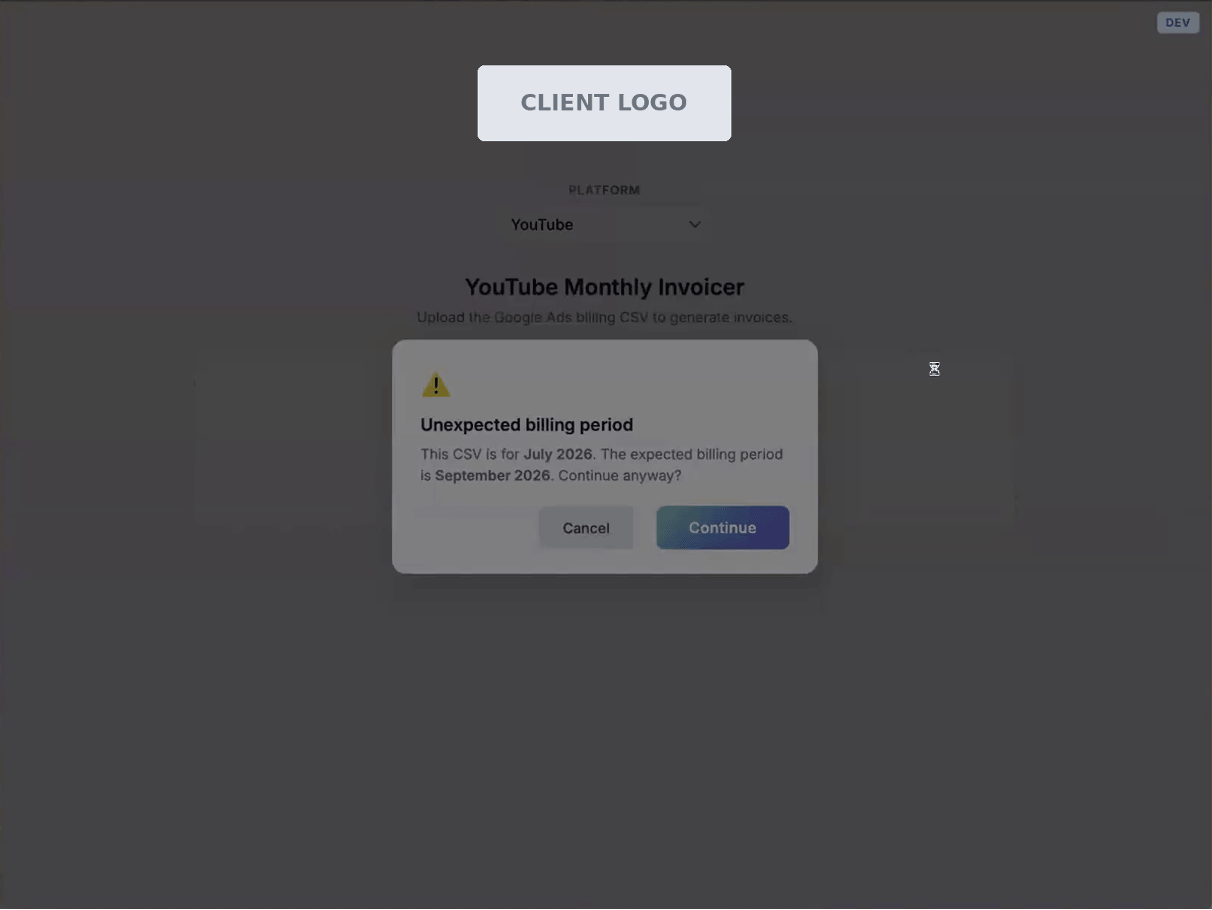
The billing lead now opens the invoicer from FileMaker, picks a platform, and drops in the same report they used to paste into Excel. The app reads the billing month and year from the file and checks them right away.
Validation that catches problems early
The app checks the stated month against every date in the report. It also flags lead source names that don’t match the expected format, two lead sources sharing one ID, and IDs with no matching order in FileMaker.
Those checks earned their keep on day one. When we ran the agency’s first real report, the app flagged bad key names and a duplicated ID. The billing lead adjusted a few settings in the campaign manager, exported a fresh CSV, and it processed cleanly. Under the old process, those errors would have surfaced much later, if at all.
A review screen before anything is written
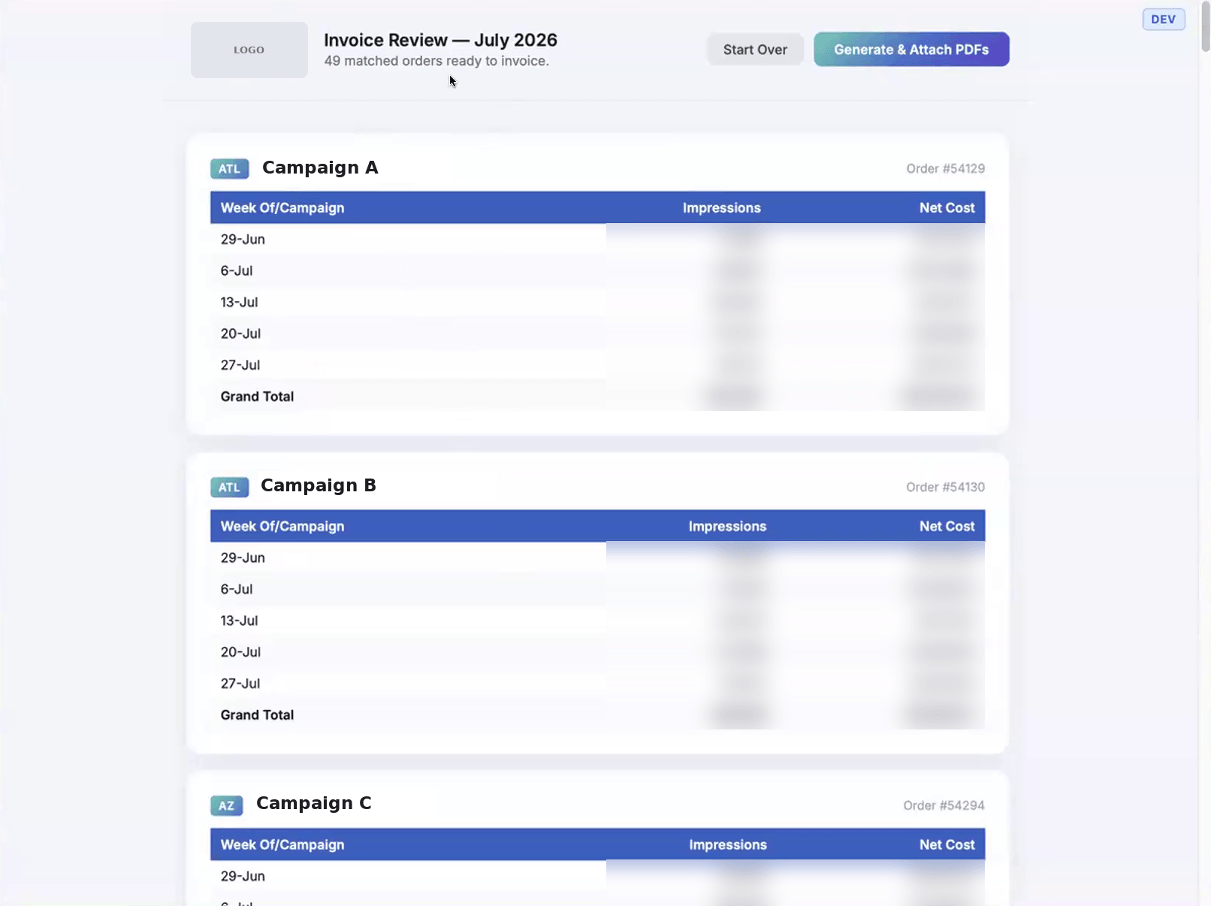
A FileMaker script finds the orders for that month and sends them back to the web viewer. The app groups rows by lead source and week, then totals impressions and net cost for each order. In the demo run, it matched 49 invoices.
Generate and attach in one pass
One click starts the run. The app calls a FileMaker script in a loop to attach each PDF, and a status chip on screen updates as each order finishes. If a script returns an error, the chip changes color, and the error appears at the top.
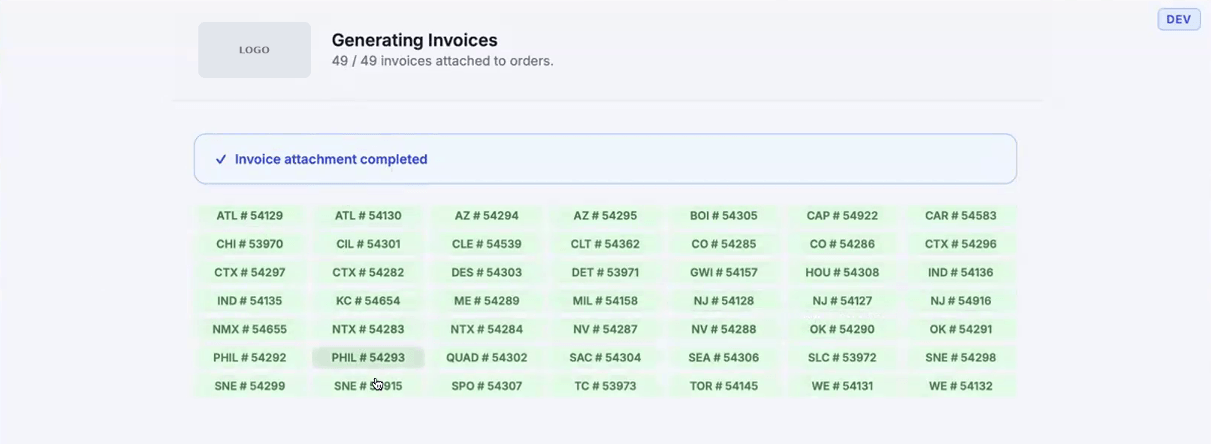
The team planned for record locking too. When someone has an order open, the PDF still attaches, but the chip turns yellow with a note that the invoiced total couldn’t be updated. Clicking that chip opens the order so the user can review the PDF and enter the total by hand.
How Two Developers and Claude Code Built It
One of our FileMaker developers wrote the FileMaker scripts while another built the web viewer app with Claude Code, Anthropic’s AI coding assistant.
The steps were simple and deliberate:
- Prove the idea first. We made a bare-bones FileMaker file that took in the CSV, used a hard-coded mapping, and produced files. It answered one question: can this work?
- Load the context. We started a new code repository with a reference folder holding a sample of the FileMaker data, the meeting transcript, and the team’s notes.
- Plan before coding. Using a “grill me” skill in Claude Code, we let the AI question us until the plan was complete. The result covered the expected data structure, how rows would be processed, the user flow, and what was out of scope.
- Agree on a data contract. The plan spelled out exactly what the web viewer sends to FileMaker and what it expects back. That contract let the FileMaker scripts and the JavaScript app be built in parallel.
- Test against broken data on purpose. Rather than editing test files by hand, we asked Claude to generate bad versions of the report, such as one with a future month and one with a bad key. Each became a test case.
- Develop locally, then move into FileMaker. Early work ran on his machine with sample data and script results from his teammate. Once it was stable, the app was packaged as a single HTML file and loaded into the FileMaker web viewer for final testing.
The AI did a lot of the typing. The judgment calls about architecture, data validation, and edge cases came from the team. That’s the kind of applied AI we believe in: experienced developers using better tools to deliver more for our clients.
PDFs Without a FileMaker Print Layout
No FileMaker layout sits behind these invoices. The web viewer app builds each PDF with a JavaScript PDF library, encodes it as Base64, and passes it to FileMaker as a script parameter. FileMaker decodes it into a container field on a new file record and updates the invoiced total on the order.
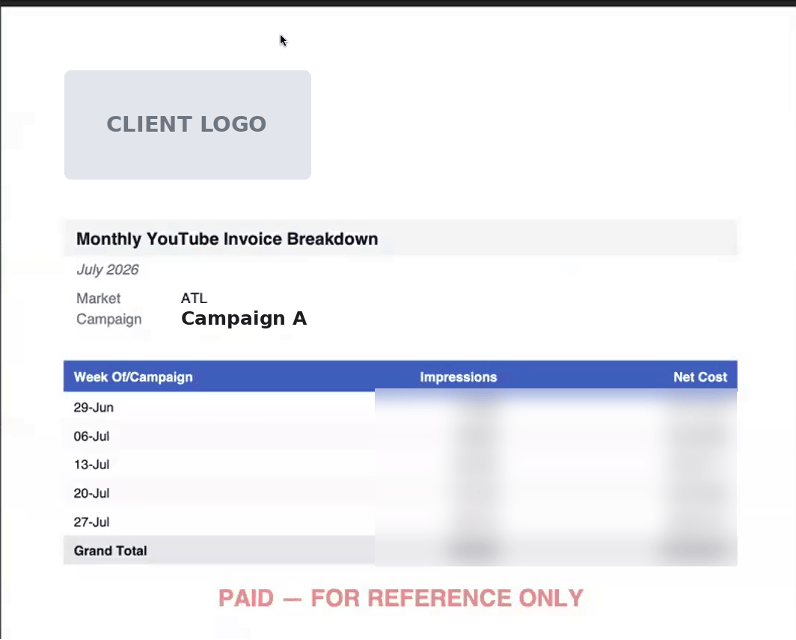
Each invoice is small, four or five weekly lines, so passing the file directly through a script parameter is fast. The slowest step in the whole run is the record insert.
This approach is catching on across our FileMaker team. Developers here have used it to replace print layouts for customer price sheets and other documents where layout tools were too limiting. The feedback is consistent: generating PDFs in the web viewer is faster to build and quicker to run.
What Comes Next for the Agency
The billing lead’s monthly invoice work went from days of copying, pasting, and attaching to a short review and a single click. The agency was happy enough with the result to ask for more. They want the same workflow for the other ad platforms they bill, including OpenAI’s ChatGPT ads.
We are already building for that. Each platform will get its own adapter and validator, and the user will pick the report format before uploading. Formats can be versioned too. When a platform changes its export, the app can keep a “YouTube v1” format alongside the new one.
We also took away a practical lesson: keep names generic. The project started out named for Google ad reports, and now that it serves several platforms, some names in the code and scripts need to change.
Put Your Team’s Manual Work on Our Desk
Most FileMaker solutions have a process like this one: a monthly task someone handles by hand because the system never quite covered it. Our team builds tailored solutions to fit your business needs, pairing deep FileMaker experience with applied AI expertise to deliver them faster.
As an employee-owned company, we’re personally invested in the results, and we think long-term about every system we touch. Contact our team to talk about where your team is losing hours, and how we can help you eliminate growth barriers and get that time back.

