
The Claris FileMaker CLI developer tool (FMDeveloperTool) can be used to perform several actions, including seeing how tables, fields, and indexes contribute to the size of a FileMaker database file. However, the tool must be run multiple times per file to acquire a complete picture.
Running fm-size for File Size View
fm-size is a wrapper for FMDeveloperTool that runs all the commands necessary to get a comprehensive file size view. Multiple FileMaker database files can be targeted in parallel with a single command.
If you have multiple files in your solution, the simplest way to use fm-size is to create a config file that describes the necessary information about your solution:
{
  "fmdevtool_path": "/path/to/FMDeveloperTool",
  "databases": [
    {
      "path_to_db": "/path/to/database1.fmp12",
      "account_name": "admin",
      "password": "password",
      "ear_key": null
    },
    {
      "path_to_db": "/path/to/database2.fmp12",
      "account_name": "admin",
      "password": null,
      "ear_key": "encryption-key-here"
    }
  ]
}
Then run the CLI:
fm-size -c path/to/config.json -m 3The -m flag makes it possible to process multiple database files concurrently, to speed up the overall time it takes for the tool to run.
fm-size will generate CSV files that describe the sizes of the database files, tables, and fields (both record data and indexes). Now you can easily gain insight into which solution elements contribute most to making your database files too big for comfort.
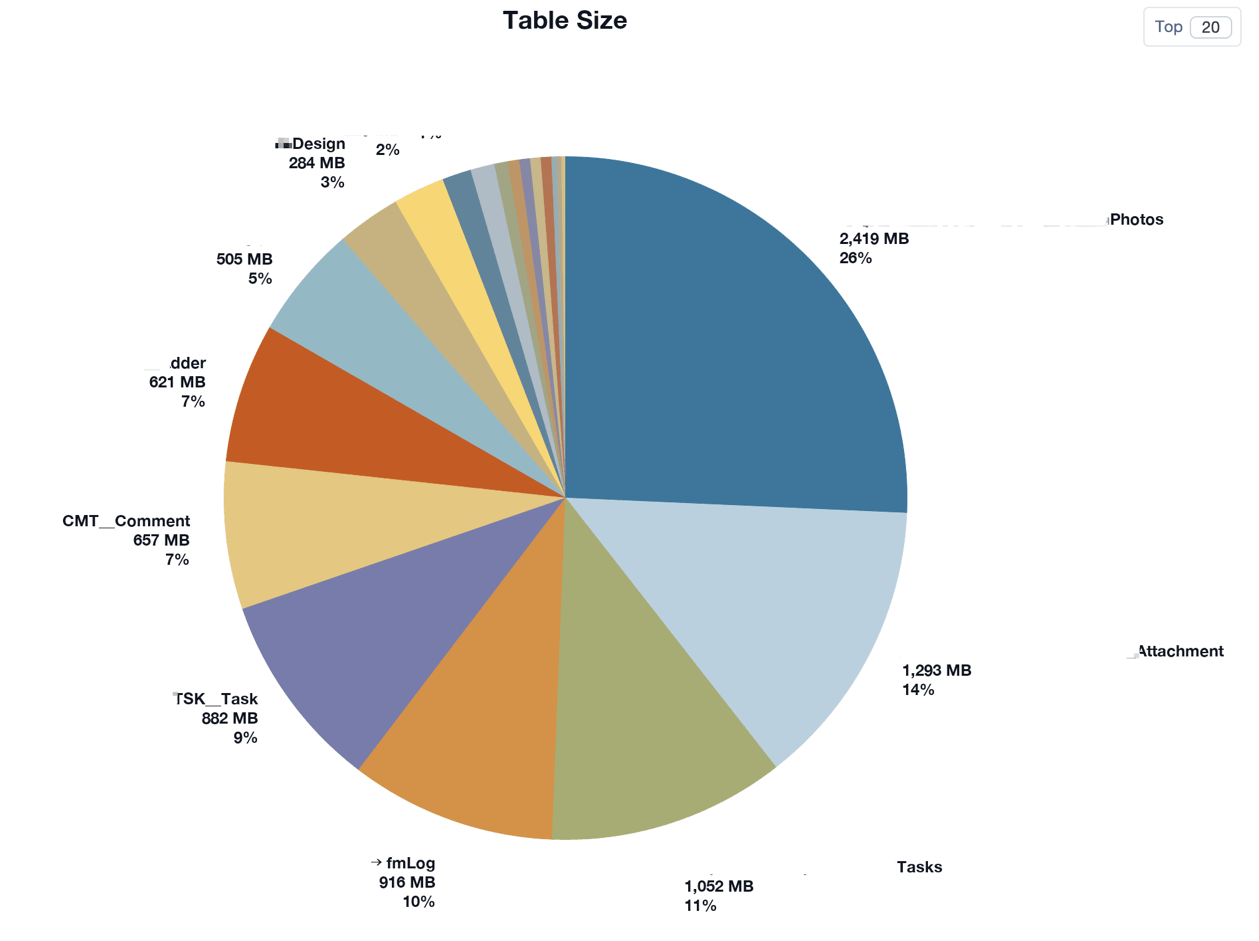
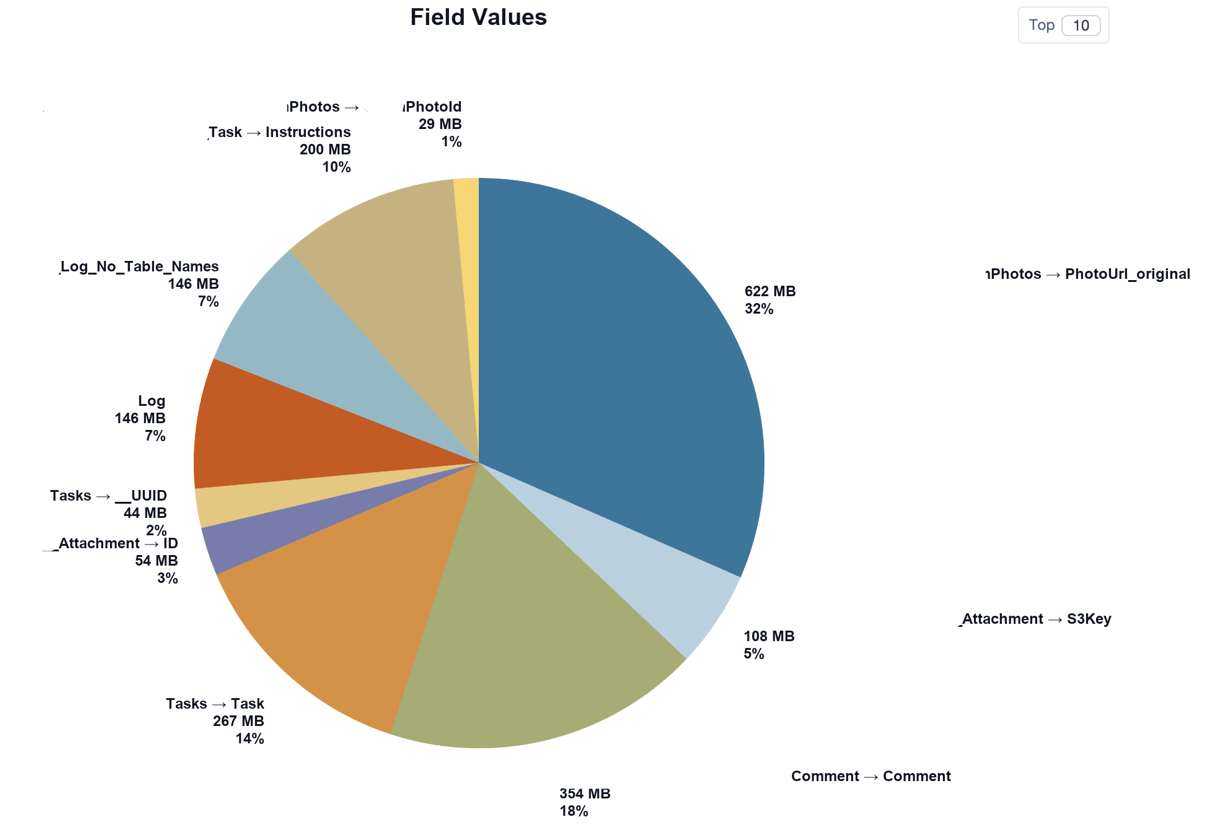
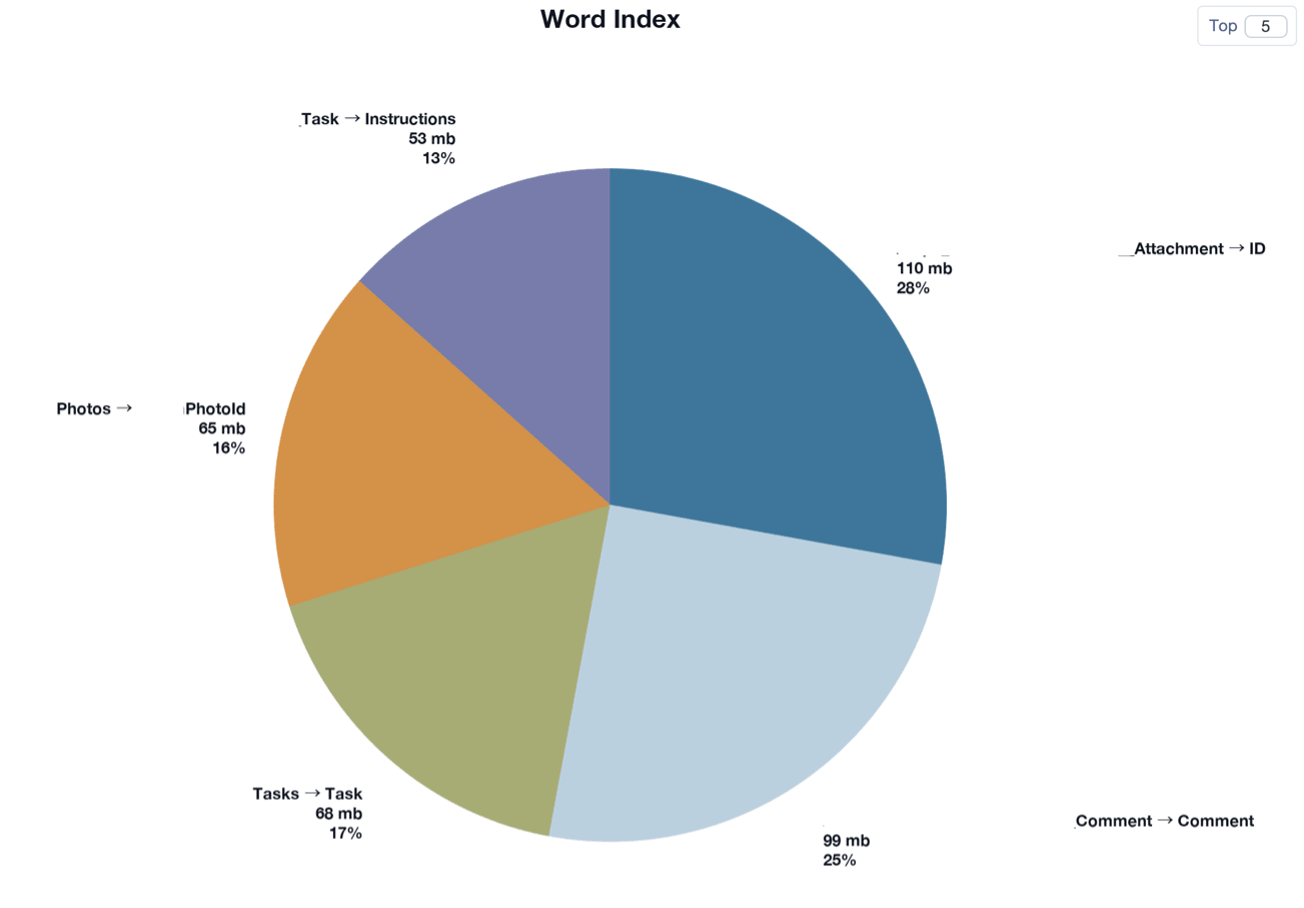
For more information and instructions on how to run fm-size: https://github.com/soliantconsulting/fm-size.

