
I am a big fan of using a customized Assisted Install file when installing FileMaker Server. It’s something I covered in the Claris FileMaker Server certification courses.
You can use that file to preset certain configuration options and avoid having to provide input during the installation process. That makes it easy to do hands-off automated installations, but even if you do the installation manually, it’s a good way to consolidate your information ahead of time (admin console username and pw, location of the license file, whether you want the sample file removed, file list filtering on or off…) and have that all handy in case of an emergency reinstall.
One of the downsides is that there are some options that only exist in the version of that Assisted Install.txt file for each operating system. And some options are specific to the version of FileMaker Server you are installing.
Case in point, FileMaker Server 22.0.4 introduces a new option for Windows to disable legacy 8.3 short names. To read up on the vulnerability and how to patch your existing FileMaker Server without upgrading to 22.0.4, go here.
The new Windows-only option in the Assisted Install file is this one:
Disable 8dot3 Name Creation=1
Dealing with three different versions of this file is cumbersome. However, when you combine all the options into a single file, FileMaker Server is smart enough to simply ignore the options that do not apply to the operating system and version. The screenshot below is from installing FileMaker Server on Ubuntu where some of the options for the installer’s UI do not apply.
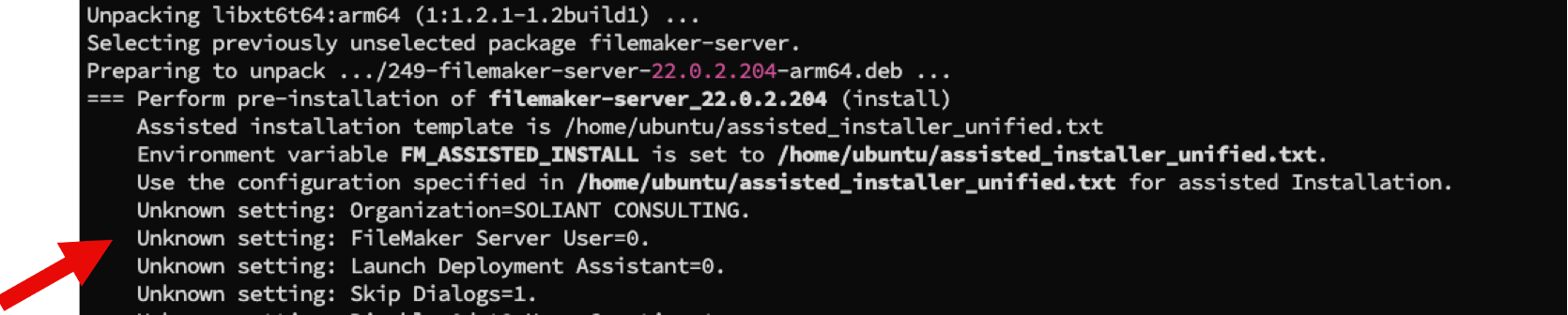
The installer does not error out when it encounters these unknown options; it just skips over them.
With that knowledge, you can create a unified Assisted Install.txt file that you can use on any version of FileMaker Server on any operating system.
And that’s what we do. You can grab a copy from our GitHub repository here: https://github.com/soliantconsulting/fms-assisted-install
There you will also find information on what each option is for and which operating system and version of FileMaker Server they apply to:
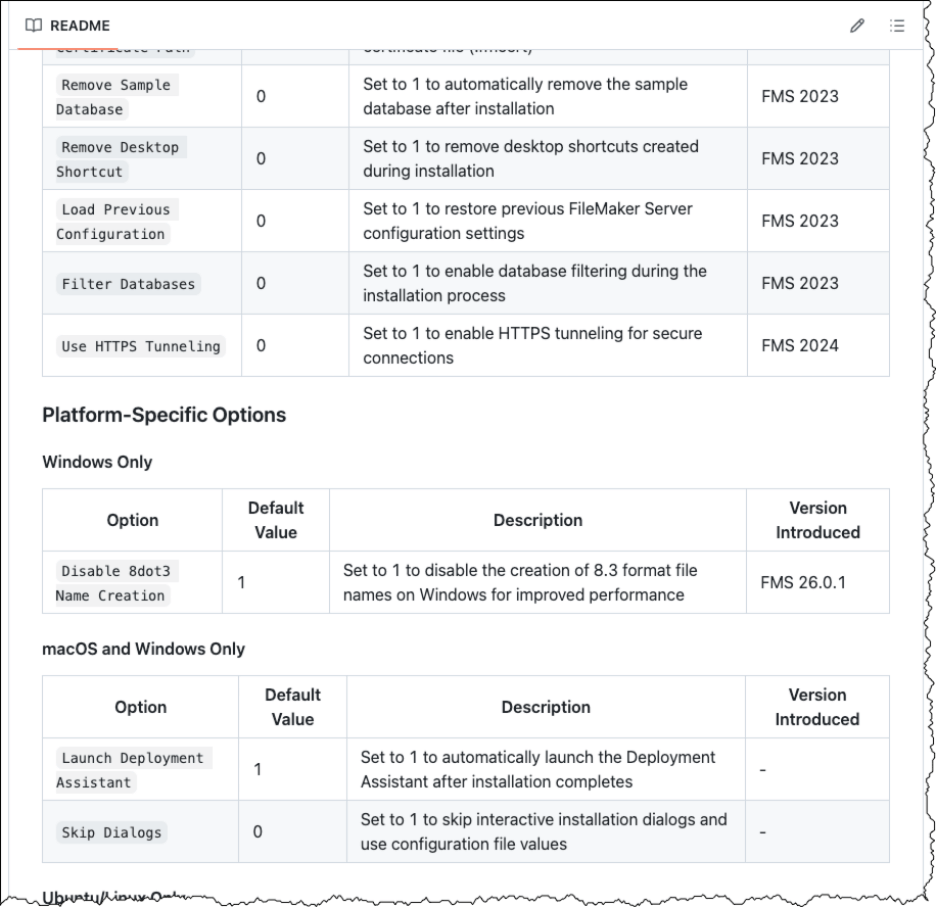
Using the Assisted Install.txt file simplifies my FileMaker Server deployments, and it can do the same for yours.
Improving Your FileMaker Server Deployments
If you’d like more insights on how to simplify and strengthen your FileMaker Server Deployments, our FileMaker team can help. Contact us to get started.

