
Claris has recently published their entire help documentation in Markdown format, making it more suitable for AI agents. To put that to use, we built a Claude Code plugin – the Claris Docs Skills plugin – that gives AI coding agents precise, context-efficient access to FileMaker and Claris help content. This post explains why that matters and how it works.
Agentic coding is taking over the software development world, and Claris is making investments to open up the FileMaker platform to it. But AI coding agents are only as good as the knowledge they can reach. Even with a capable agent in place, it needs access to the right documentation to handle FileMaker-specific tasks accurately. And even if you’re not using AI to write FileMaker code, you may still have questions about the platform. Finding the right help document adds friction to that process: you search, you skim, you read. It would be nicer to just ask a direct question and get a direct answer.
The Web Search Tool
Large Language Models that power AI are trained on a broad corpus that includes much of the publicly available web. If that’s true, then why wouldn’t they already know everything about FileMaker? Two reasons: LLMs have a knowledge cutoff date – the point in time where their training stopped. They are unaware of anything new that has developed since then. The other reason: LLMs are kind of like a lossy compression of the internet. A good analogy is a lossy sound or image file. The gist of the content is there, but not at full fidelity. This can lead LLMs to confidently lead you down a wrong path. For example, the other day, Claude Opus suggested using regex inside a Substitute function.
To work around these limitations, AI applications are equipped with tools, like the web search tool. If you ask a question that the LLM cannot confidently answer, it will look for relevant web pages, read them thereby adding their content to its context, and then provide an answer that incorporates this new information with the core LLM knowledge.
If we want to ask a FileMaker-related question, will the LLM know how to do this search effectively? We have observed web search tools on FileMaker docs fail multiple times. Other times, forum threads with outdated or incorrect information are loaded. We need a mechanism to ground the AI in accurate, reliable information.
Skills
This is where skills come into place. A skill is sort of like an instruction set for an AI. A skill consists of one or more Markdown files and optional additional artifacts (scripts, references, assets).
The SKILL.md file, the main entry point for the skill, contains a section at the top, called the frontmatter, which describes what the skill does. (In most Markdown tooling, frontmatter specifically refers to a YAML or TOML block delimited by ---.) Then, when the coding agent encounters a situation that could benefit from that skill, it applies it.
Example of frontmatter (taken from the filemaker-pro skill)
---
name: filemaker-pro
description: |
Use when the user asks about FileMaker Pro (FM Pro or FMP) — scripting, script steps, functions, calculations, layouts, relationships, fields, security, data entry, import/export, charts, reporting, printing, developer tools, AI features, or any general FileMaker Pro development question. This is the catch-all skill for FileMaker (FM) development — use it for any FM question that doesn't clearly belong to another skill.
---
Context Paranoia
LLMs operate inside of context windows. As you interact with a coding agent, your input prompts and the output that the LLM generates fill up that context window. The size of the context window is limited. Even if you are well within the limits of the model’s context size, there are reasons to keep the number of tokens that are loaded in the context down.
As each new token (analogous to a word) is loaded, the LLM’s attention mechanism creates an association between that token and previous tokens that are already a part of the context. With more tokens, each token’s attention budget gets spread thinner across more candidates. A relevant fact from 50,000 tokens ago has to compete with everything that came after it for the model’s attention weight.
This has led to terms like “smart zone”, “dumb zone” (for example, see https://amittiwari.substack.com/p/the-smart-zone-problem-why-your-ai) which are based on anecdotal observations that performance can degrade as the context fills up.
Back to Skills
When you start a new session, things like the system prompt and built-in tools get immediately loaded into that context window.
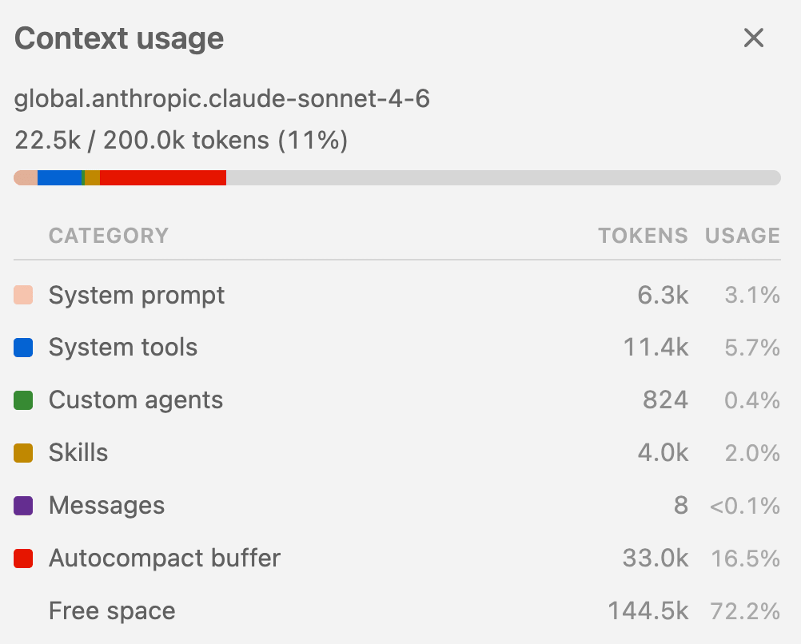
The advantage of the skills architecture is that, for skills, the coding agent only reads the frontmatter. It doesn’t read the rest of the content just yet, so that it doesn’t use up available context unnecessarily.
Then once it encounters a situation where using the skill would be beneficial, it loads the entire skill into the context.
AI-Native Help Docs
Up until very recently, software vendors created KB and help articles for human consumers. Nowadays this content must be created with two kinds of consumers in mind: humans and AI. Markdown files are well-suited for both. Claris has recently created a replica of all their help articles using the markdown format with AI in mind. The full index to this KB is located at https://help.claris.com/llms-full.txt.
Great, now we have quick access to the entire knowledge base for all Claris products. But we have a few problems. That file is 1.9 MB in size.
curl -s https://help.claris.com/llms-full.txt | wc -c
=> 2027433 bytes
=> 1.9 MB
LLMs tend to avoid reading an entire file if it’s large. But even if it were to read the entire thing, how many [tokens] would this result in? A ballpark conversion rate is to multiply the file size in KB by 250-500.
KB x 250-500 ≈ Tokens (approximate)
1.9 MB => 450-900K tokens
That is way too much to feed into an LLM, both from a context budget perspective, and from a cost perspective (Sonnet 1M context, 732,629 tokens ~$2.2).
We crafted a set of skills to navigate an AI agent to the relevant subset of help articles. Instead of searching through the entire llms-full index, the skill helps the agent find exactly the KB documents it needs.
We created a separate skill for each Claris product. Once a skill is invoked, the agent will gain access to a reference file (or in some cases, multiple files) which contain a subdivision of the full index. From there, the agent can home in on the KB articles it needs and then use the Web tool to access those articles directly from Claris.
In this sense, the skills are navigators, not knowledge stores. They don’t embed documentation content. And they only load what they need (progressive disclosure).
The reference files are intentionally kept small (<80 links per file), split along natural topic boundaries. For example, layouts and relationships each get their own reference files.
The skills can be useful to human users as well. They make it easy to get quality answers about questions and can be used as a research tool. For example:
What does error code 10 mean for a successful Insert fromo URL script step?
Read pro-steps-fields.md, pro-general.md
I’ll fetch both the Insert from URL page and the error codes page in parallel.
Web Fetch https://help.claris.com/markdown/en/pro-help/insert-from-url.md
Fetched from https://help.claris.com/markdown/en/pro-help/insert-from-url.md
Web Fetch https://help.claris.com/markdown/en/pro-help/error-codes.md
Fetched from https://help.claris.com/markdown/en/pro-help/error-codes.md
Error code 10 from Insert from URL means “Requested data is missing” — the server returned no content.
Crucially, the docs explicitly note this does not necessarily indicate an error — if you’re calling an endpoint that intentionally returns an empty body (e.g., a 204 No Content response), error code 10 is the expected result of a successful request. You can safely ignore it in those cases by checking Get(LastError) = 10 separately from other errors.
Does Using a Skill Help?
One of the evals that we ran to test out the skills was to take the agent through the screening questions we use when interviewing for the senior application developer role. These cover topics like scripting, relationships, calculation syntax, and deployment. The agent performed dramatically better when it had access to the skill.
Scorecard comparison
| Q | With Skills | Without Skills |
| 1 | ☑ | ☑ |
| 2 | ☑ | ✕ |
| 3 | ⚠ | ✕ |
| 4 | ☑ | ☑ |
| 5 | ☑ | ⚠ |
| 6 | ☑ | ✕ |
| 7 | ☑ | ✕ |
| 8 | ☑ | ✕ |
| 9 | ⚠ | ⚠ |
| 10 | ☑ | ⚠ |
| Q | With Skills | Without Skills |
| Score | ~8/10 | ~3.5/10 |
Adding the Plugin to Claude Code CLI
The skills are hosted on GitHub and packaged up as a Claude Code plugin. If you use a different coding agent tool, simply copy the skills folders into the structure used by that tool.
To install the plugin in Claude Code, first add the marketplace:
/plugin marketplace add soliantconsulting/soliant-public-claude-plugins
"soliant-public-claude-plugins": {
  "source": {
    "source": "github",
    "repo": "soliantconsulting/soliant-public-claude-plugins"
  },
  "installLocation": "/Users/mkos/.claude/plugins/marketplaces/soliant-public-claude-plugins",
  "lastUpdated": "2026-06-09T15:35:37.550Z",
  "autoUpdate": true
}
Then install the plugin:
/plugin install claris-docs@soliant-public-claude-plugins
Once installed, you’ll have a set of skills available that you can use to query Claris help docs. The AI agent will invoke the skill when appropriate. Sometimes, that triggering behavior misses. If you observe that happening, you can also invoke a skill yourself.
/claris-docs:filemaker-pro which script triggers are pre-event triggers?
Adding the Plugin to Claude Desktop
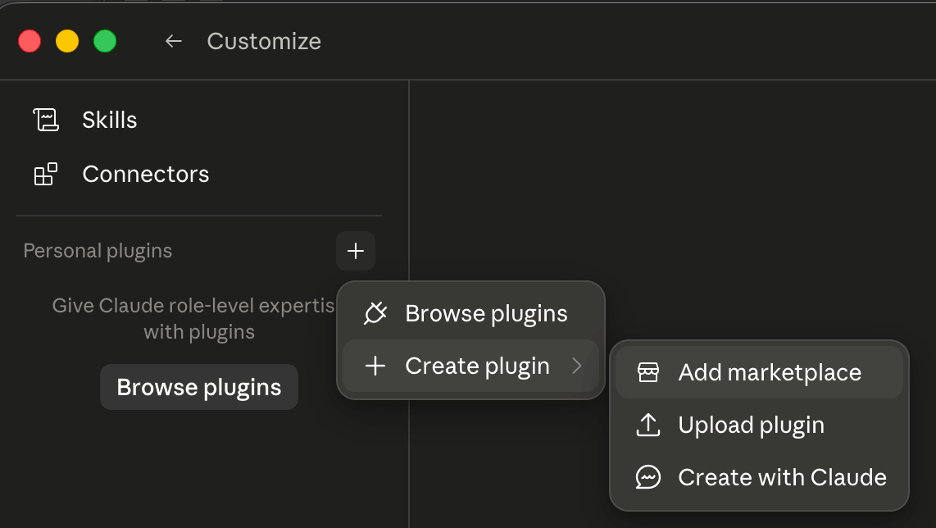
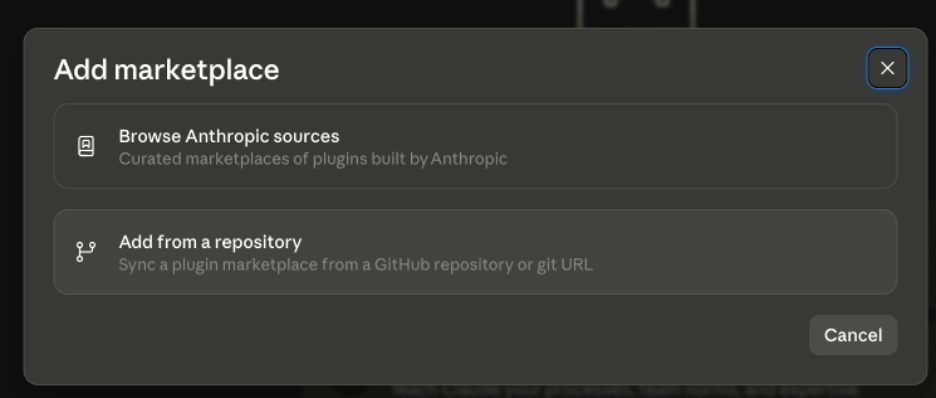
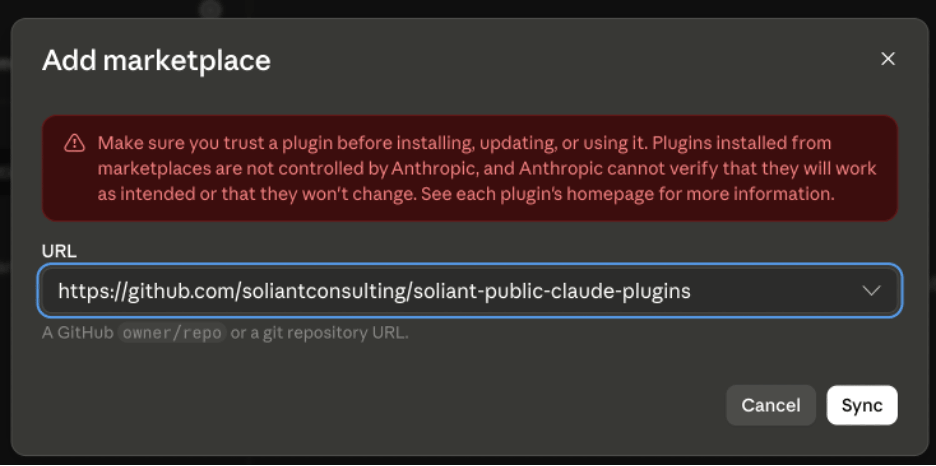
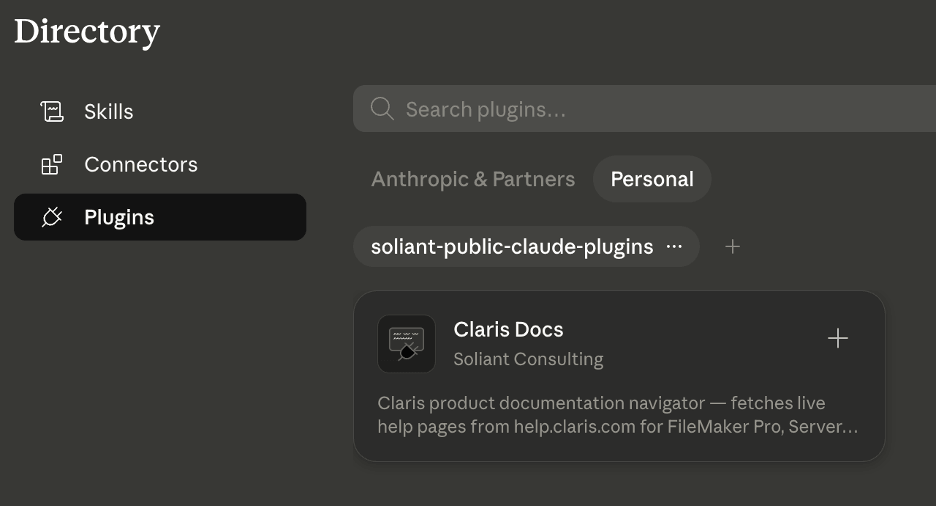
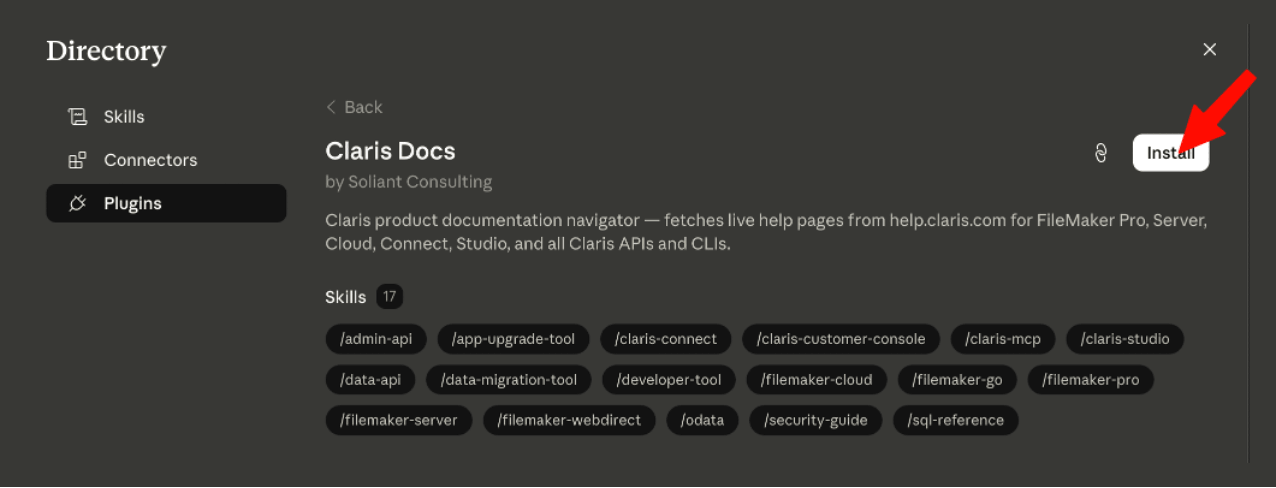
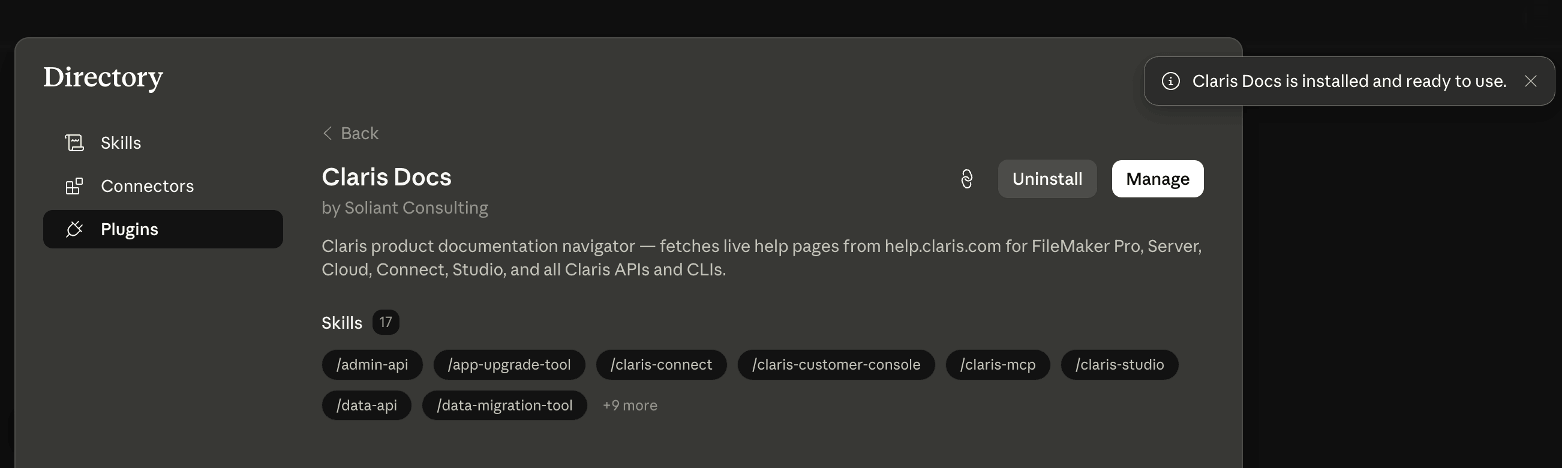
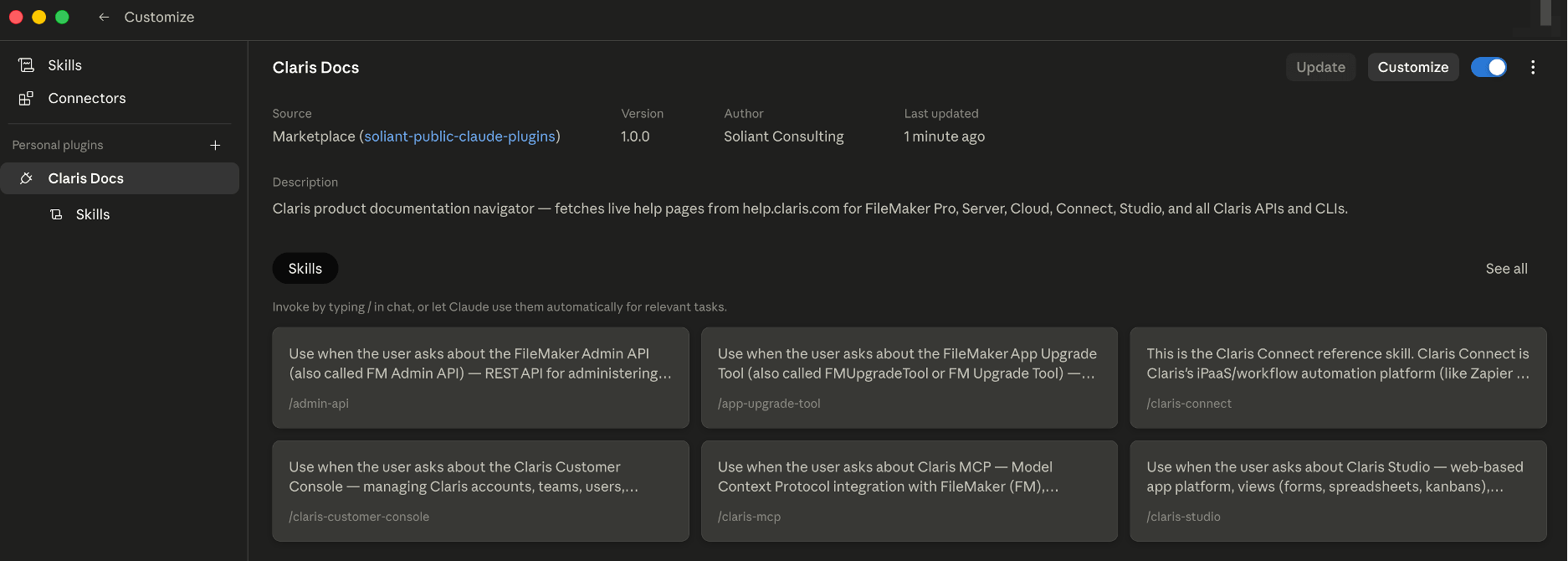
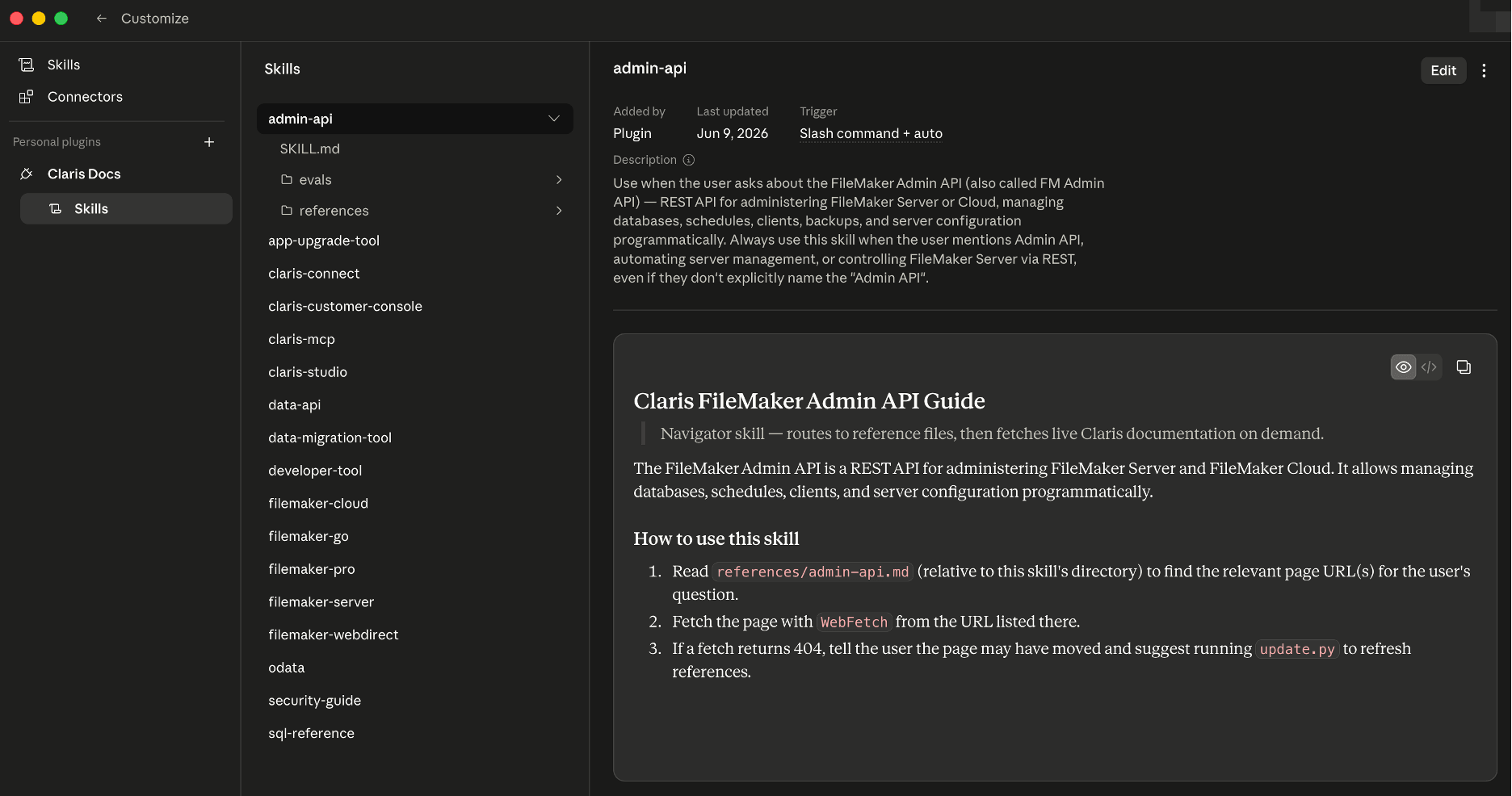
The “Customize” button navigates to this view:
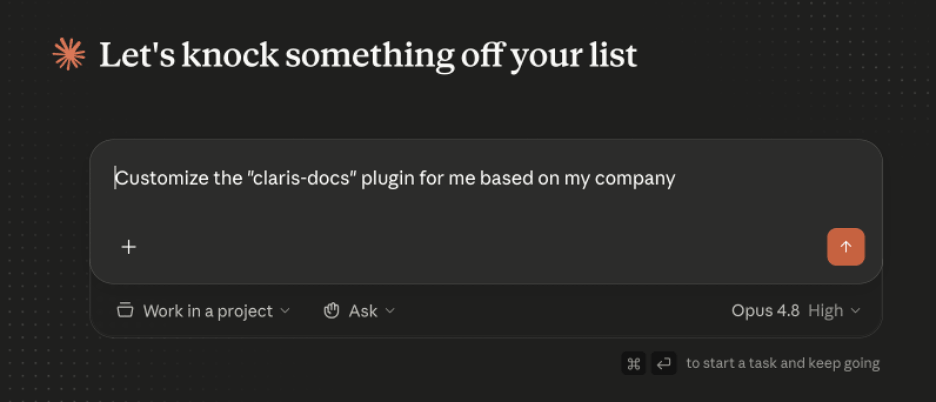
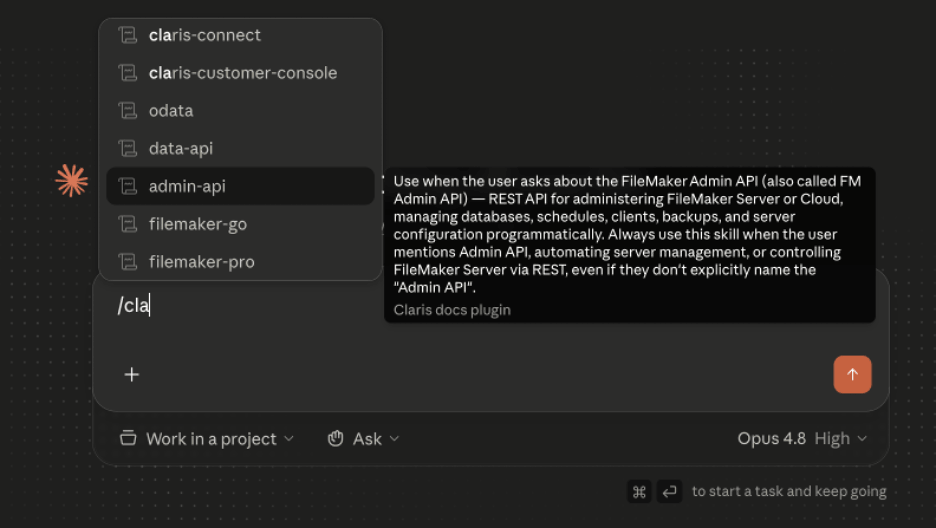
Test is out and let us know what you build
We recommend you install the plugin and run it through your workflow. We want to hear what you find. Did it help you spot gaps in the documentation? Or discover a use case we hadn’t anticipated?
As a consultative team of technical experts, we’re committed to helping FileMaker developers work smarter. Contact our team to learn more about how we can support your goals on the Claris platform.

